Report a problem or suggest an idea
Tell the LaoCart team what does not work or what you would like, and follow the answer in the same place.
Something does not work, or you have an idea to make LaoCart better? Tell the team from your dashboard: we read every message, and the answer comes back to you there.
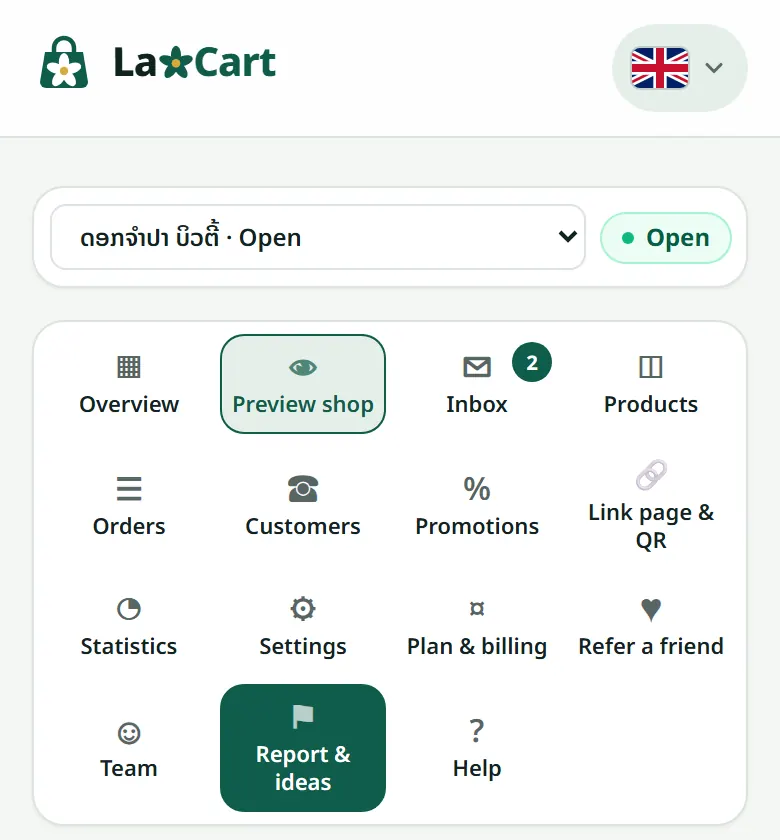
- 1Open “Report & ideas” in your shop's menu.
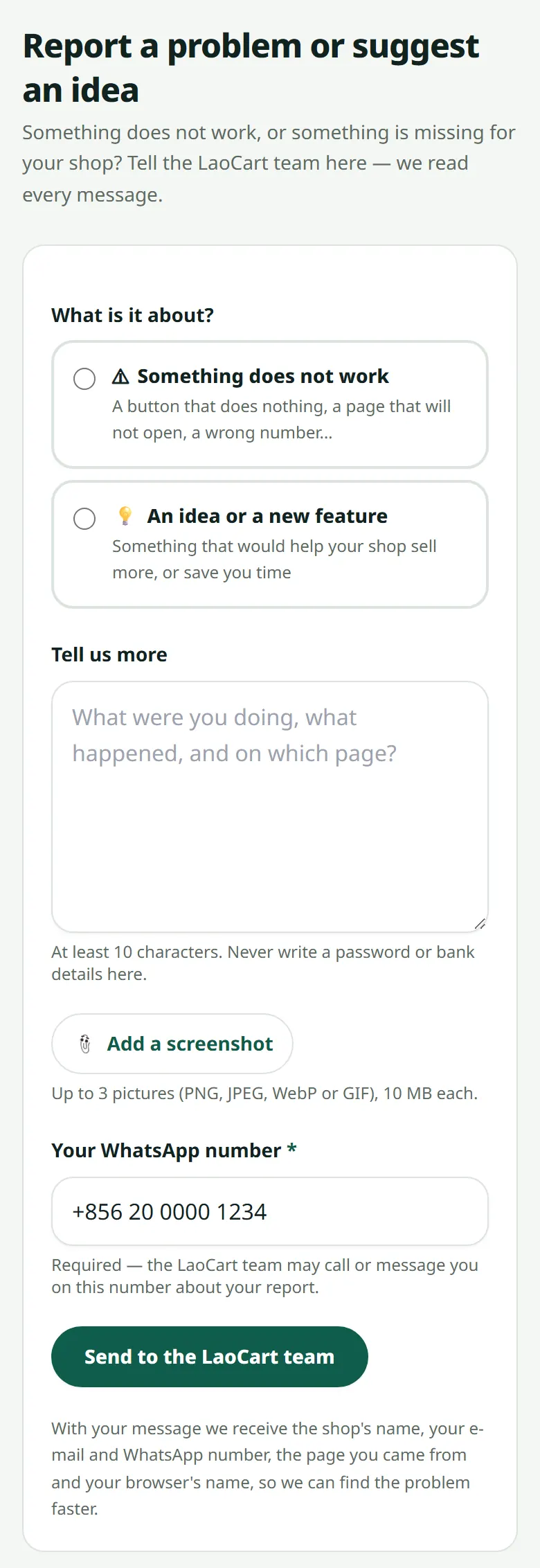
- 2Choose “Something does not work” or “An idea or a new feature”, then tell us what happened: which page, what you pressed, what you saw.
- 3If you can, press “Add a screenshot”, and check your WhatsApp number: it is required, so the team can reach you.
- 4Press “Send to the LaoCart team”.
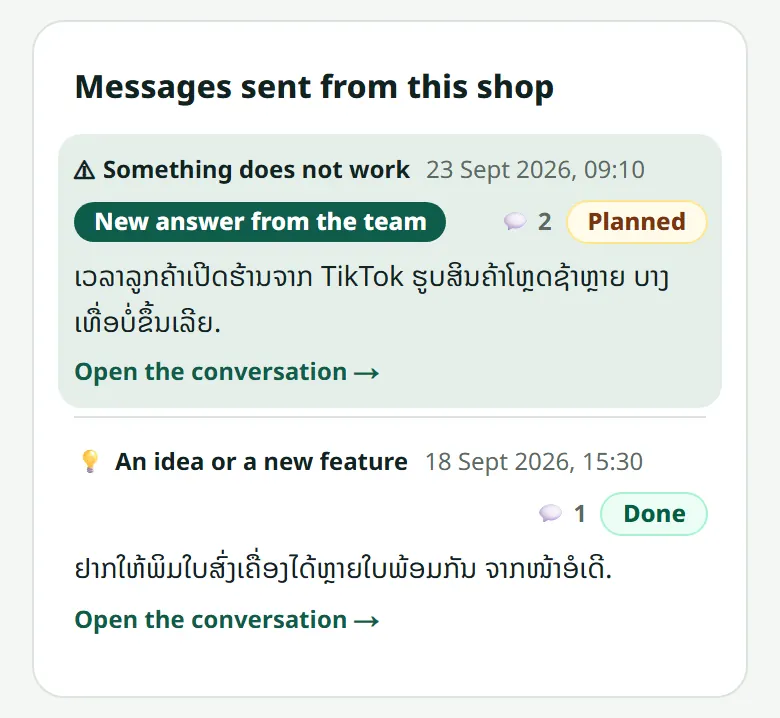
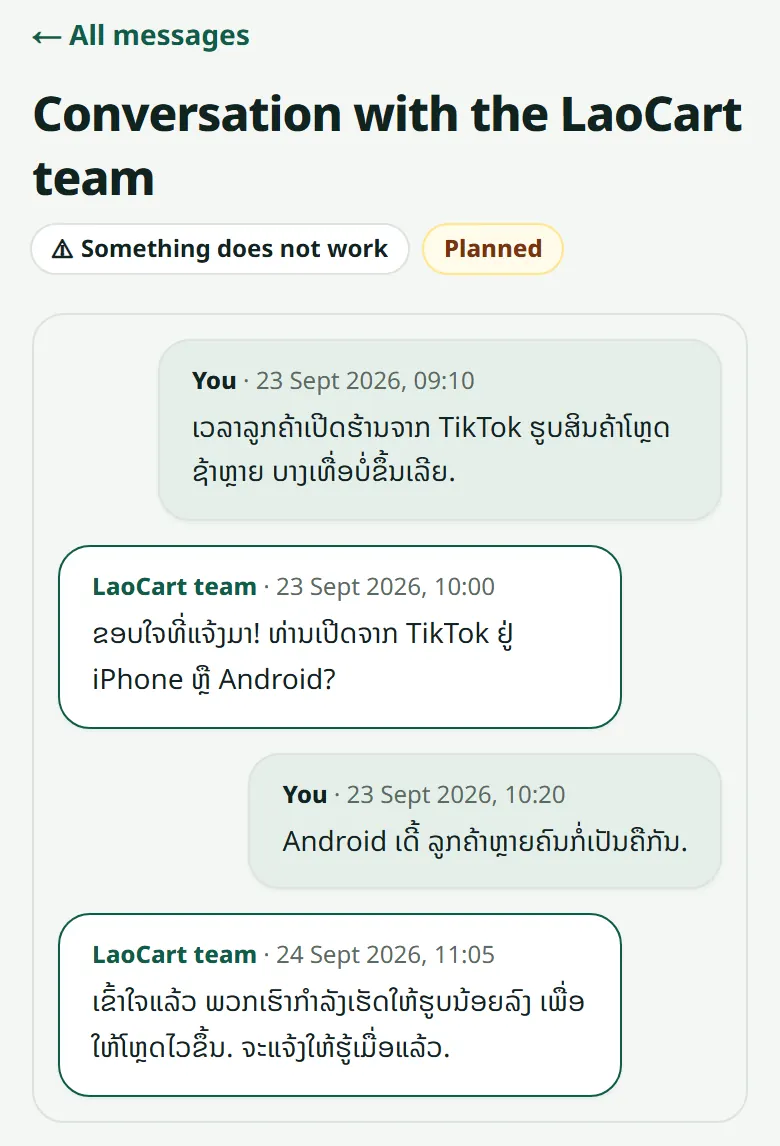
Your messages are listed under the form with where they stand: received, read by the team, planned, done or not planned. When the team answers, the message shows “New answer from the team”, and you also see it in your “Inbox”.
Related articles
Still stuck?
Message us on WhatsApp. Sending your shop name and a screenshot gets you an answer much faster.
Message LaoCartWant us to do it for you — enter your products, design your covers? That is an optional service, billed separately. See the optional services