Your shop's notifications
New orders, payments and news from LaoCart in one list, unread ones first.
Everything that happens in your shop lands in “Inbox” in your shop's menu: a new order, a paid invoice, a reminder before your plan ends, an answer from the team, news from LaoCart. The small number on the menu tells you how many you have not read yet.
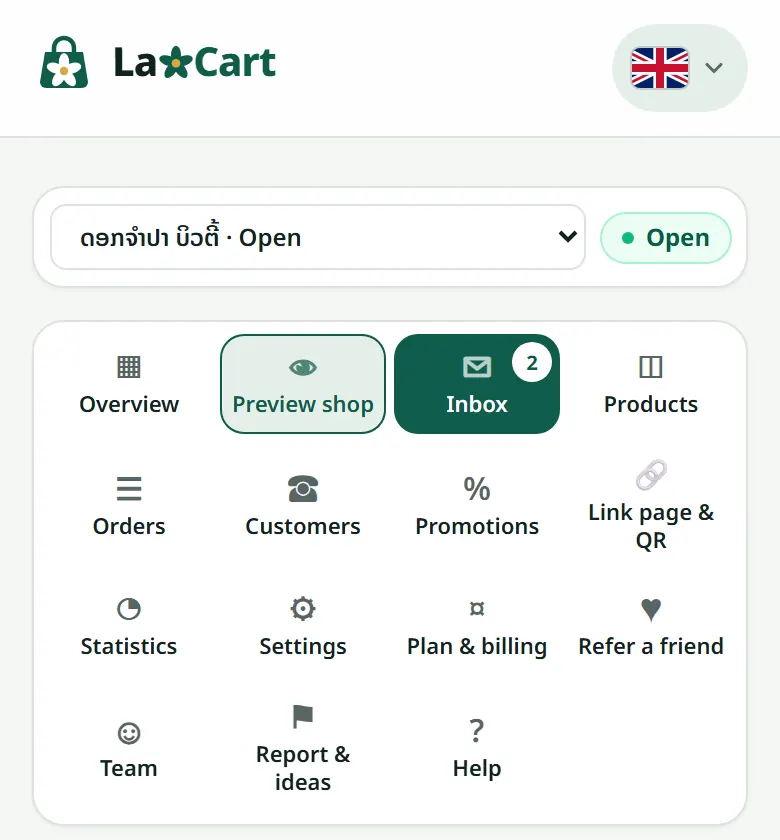
- 1Open “Inbox” in your shop's menu.
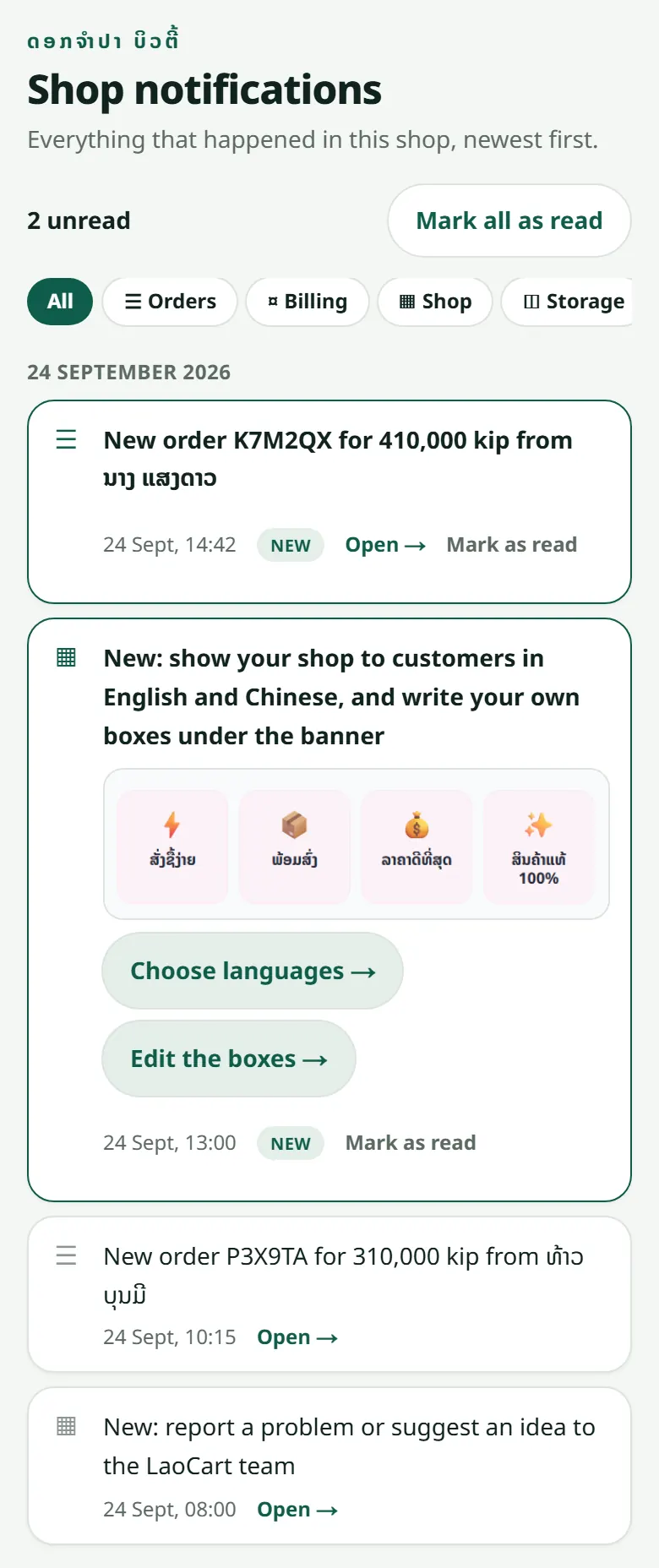
- 2Press “Open →” on a line: it takes you to the order, invoice or page it is about, and marks it read.
- 3Tap a chip (Orders, Billing, Shop…) to see one kind only, and “Mark all as read” to clear the number.
Want an e-mail for every new order as well? Turn it on in “Settings” → “Notifications”.
Related articles
What the order statuses mean
From “Awaiting payment” to “Completed” — and who sees what.
Recording a sale made outside the website
Sold at the counter or on WhatsApp? Record it in the dashboard so the stock stays right and the customer has a history.
Report a problem or suggest an idea
Tell the LaoCart team what does not work or what you would like, and follow the answer in the same place.
Still stuck?
Message us on WhatsApp. Sending your shop name and a screenshot gets you an answer much faster.
Message LaoCartWant us to do it for you — enter your products, design your covers? That is an optional service, billed separately. See the optional services