Promo codes
Create a code customers type at checkout — a percentage or a fixed amount off, for new customers only or for everybody, with or without an expiry date.
A promo code is a short word, such as SABAIDEE10, that a customer types in the cart before confirming the order: the total drops at once. You create and manage codes in your shop's “Promotions” menu.
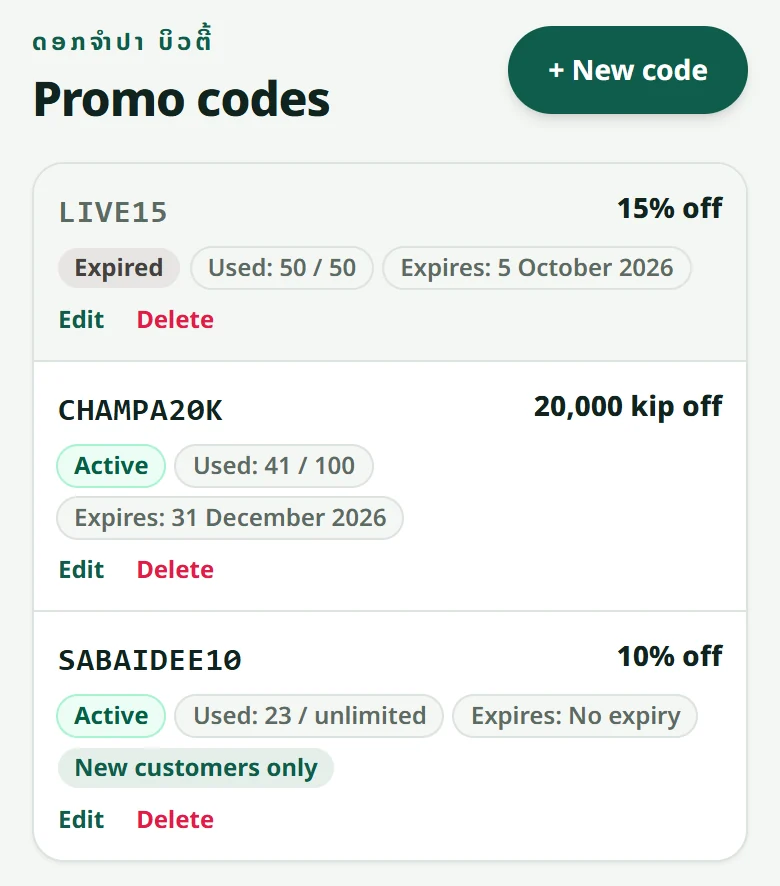
- 1Open “Promotions” and press “New code”
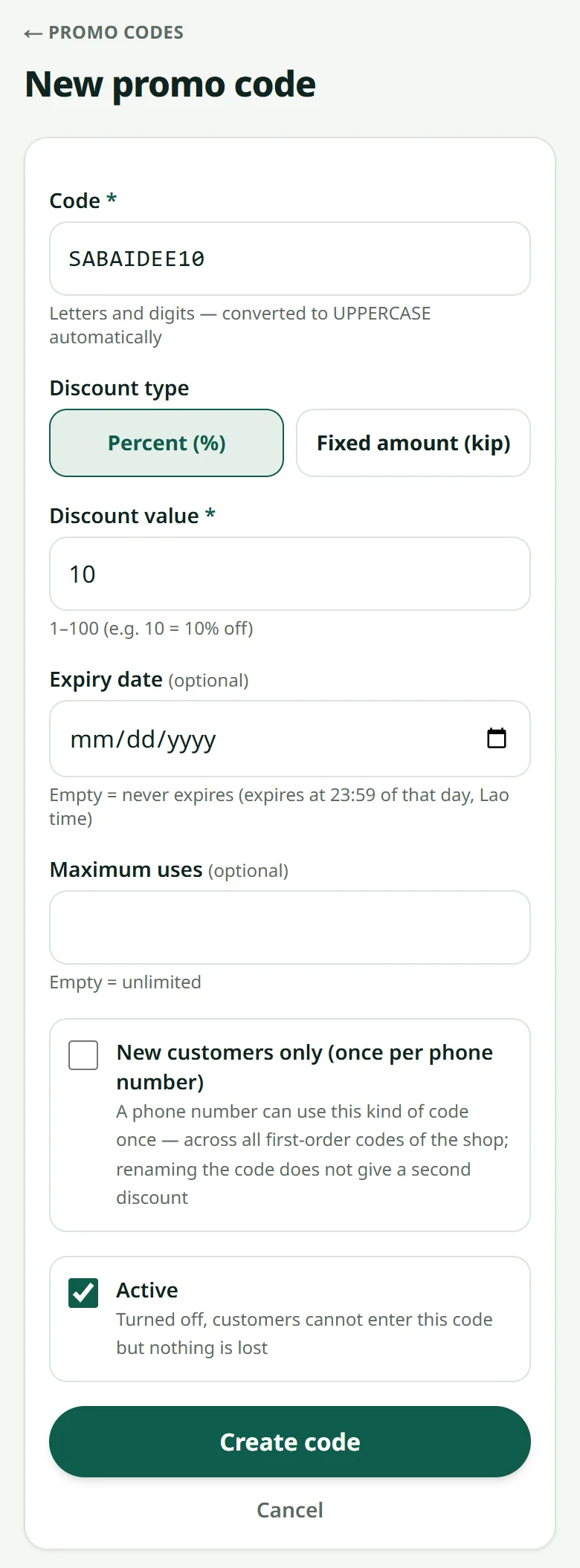
- 2Type the code (letters and digits — it is turned into capitals for you)
- 3Choose the kind: a percentage (10 = 10% off) or an amount in kip
- 4Tick “New customers only” if a phone number may use it once; add an expiry date and a maximum number of uses if you want (empty = unlimited)
- 5Press “Create code” — it works at once
A fixed amount comes off the products of the whole order once, never off each item. Neither kind touches the packing fee or the cash-on-delivery fee.
Tell customers about it in several ways: write the code in the announcement bar at the top of your shop (“Settings” → “Look” — customers tap it to copy), make a QR code or a link that fills the code in for them on Link page & QR, or pick the code when you make a product's ready-to-post picture.
On the order's page you see which code was used and how much came off. The “Promotions” list shows how many times each code was used. Switch a code off with “Active”: customers cannot enter it any more, but nothing is lost.
Related articles
Discount on quantity: the more they buy, the less each piece costs
A lower price per piece from a number of pieces of one product — its colours and sizes can be mixed and count together.
Link page & QR: one link for your bio, a QR for customers to scan
One page with the shop button, your contacts, your Facebook / TikTok links and a discount — put its link in your bio, and make a QR code that carries a promo code.
Pictures ready to post on Facebook, TikTok and WhatsApp
Turn a product into a Lao picture and text, ready to post, in one tap.
Adding a product
A name, a price, a photo and a stock number — that is all it takes to sell.
Still stuck?
Message us on WhatsApp. Sending your shop name and a screenshot gets you an answer much faster.
Message LaoCartWant us to do it for you — enter your products, design your covers? That is an optional service, billed separately. See the optional services