Adding a product
A name, a price, a photo and a stock number — that is all it takes to sell.
- 1Open the “Products” menu in your shop and press “Add product”
- 2Enter the name and the price in kip (whole numbers, no separators needed)
- 3Upload photos — the first one is the cover
- 4Enter the stock and press Save
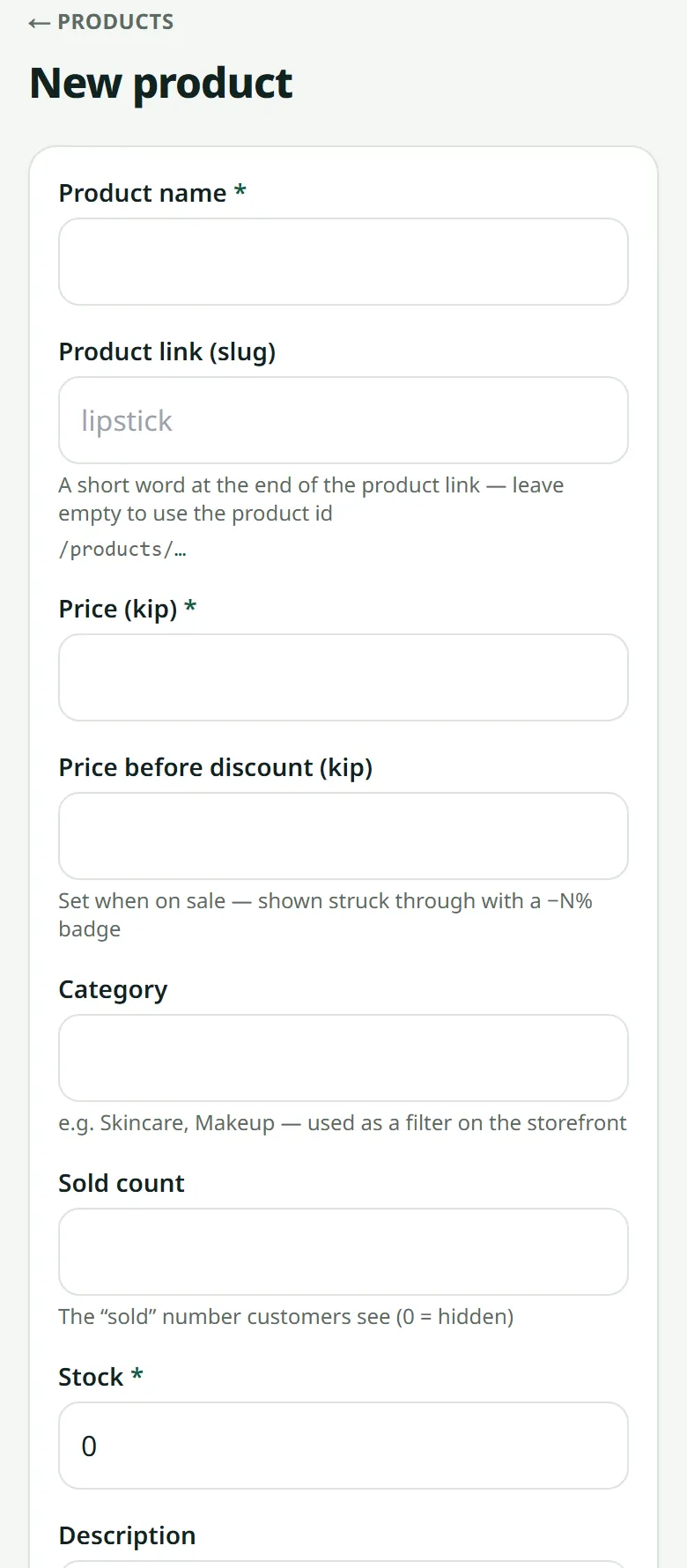
On sale? Fill in “Price before discount” and the storefront shows the old price struck through with a percentage badge.
Selling to tourists or Chinese customers? Translate each product's name and description: see Your shop in English and Chinese.
Many products? In the setup assistant's product step, press “Several products at once”: choose several photos (one photo = one product), type a name and a price under each, and save them all in one tap. A new product starts with 1 in stock — type the real number. The product list has a search box by name, category or option name. Discounts: “Buy 1 get 1 free” in the product form, a promo code or a discount on quantity.
Related articles
Photos that sell
A phone is enough — what matters is light and a clean background.
Colours and sizes (product options)
One product, several colours or sizes — each option with its own stock and price.
How many products you can add
Each plan allows a number of products — and what happens when it is full.
Promo codes
Create a code customers type at checkout — a percentage or a fixed amount off, for new customers only or for everybody, with or without an expiry date.
Still stuck?
Message us on WhatsApp. Sending your shop name and a screenshot gets you an answer much faster.
Message LaoCartWant us to do it for you — enter your products, design your covers? That is an optional service, billed separately. See the optional services