Discount on quantity: the more they buy, the less each piece costs
A lower price per piece from a number of pieces of one product — its colours and sizes can be mixed and count together.
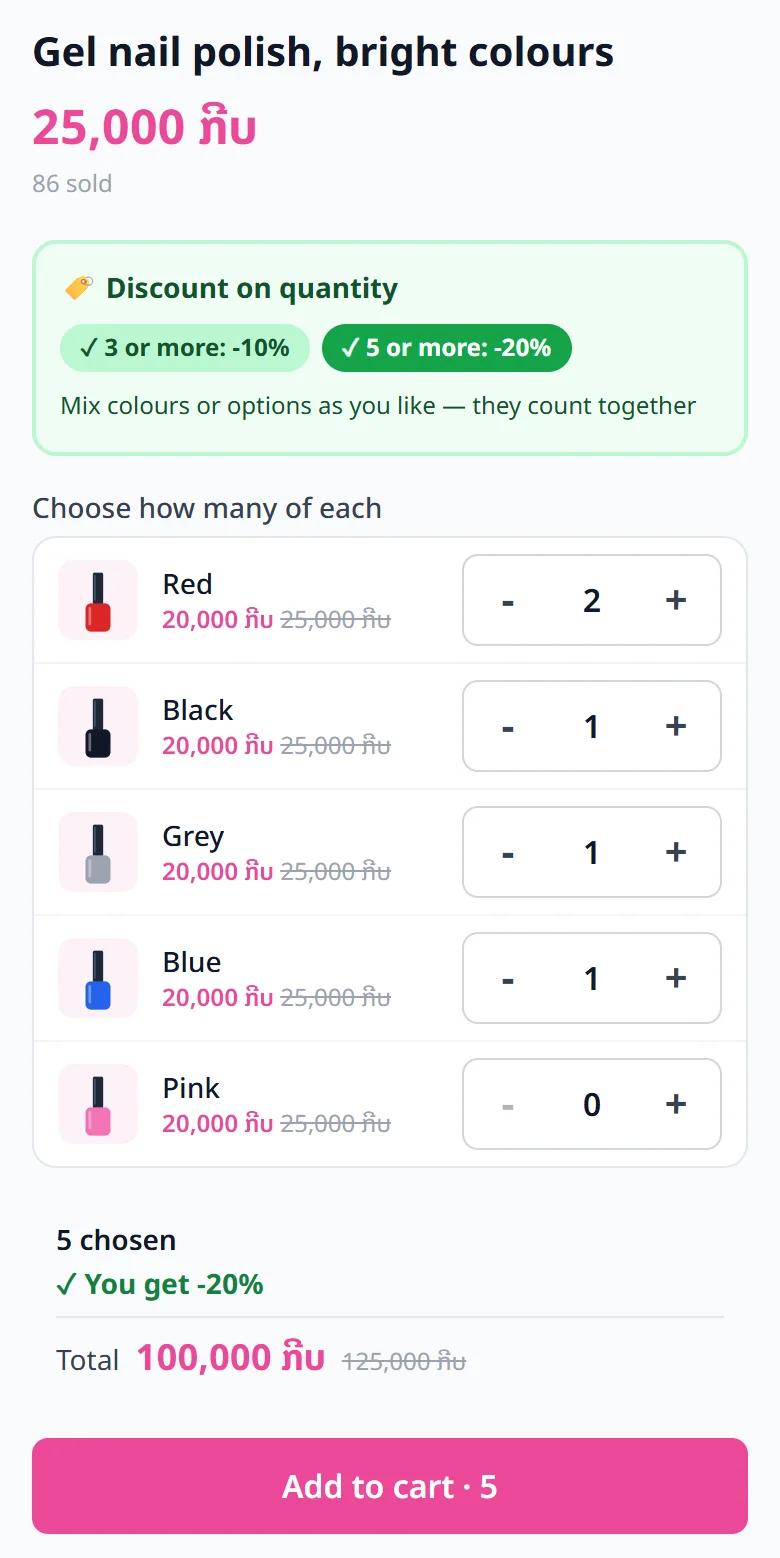
A discount on quantity lowers the price of each piece when a customer takes several pieces of the same product, for example 5 pieces or more: 20% off. All the options of that product count together, so customers mix them as they like: 2 red + 1 black + 1 grey + 1 blue = 5 pieces, and all five get the discount.
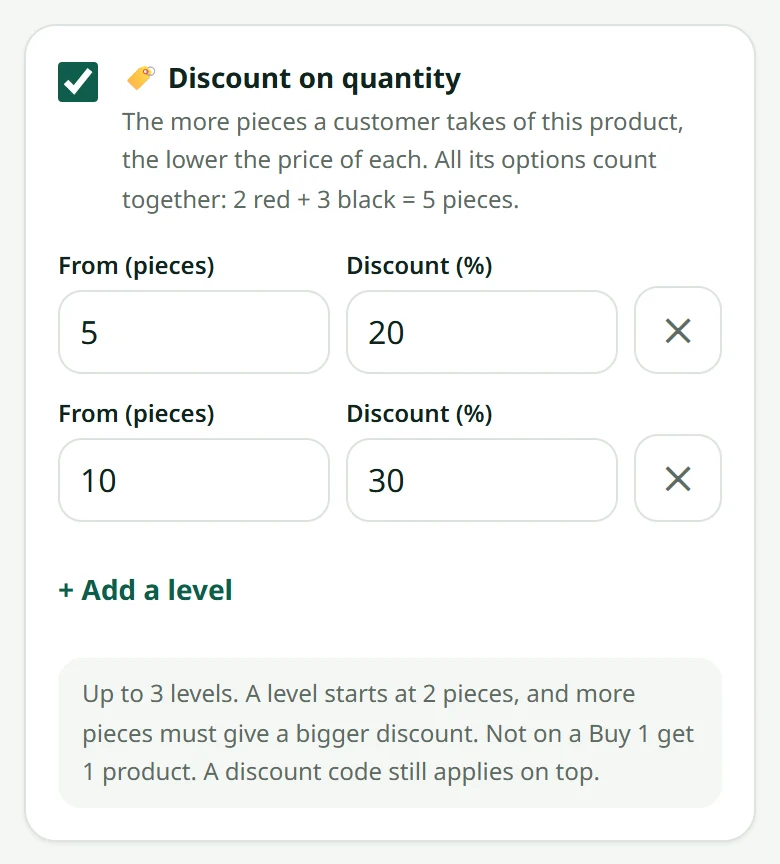
- 1Open the product in Products
- 2Tick “Discount on quantity”
- 3Type the number of pieces under “From (pieces)” and the reduction under “Discount (%)” — for example 5 and 20
- 4Want a second level? Press “+ Add a level” — for example 10 pieces, 30% off
- 5Save
On the product page, customers see the levels and get a + / − counter for every option on one screen: they tap + on each colour or size they want. The page counts the pieces chosen, says how many more the next level takes, and shows the lowered price of each piece and the total. One button puts everything in the cart.
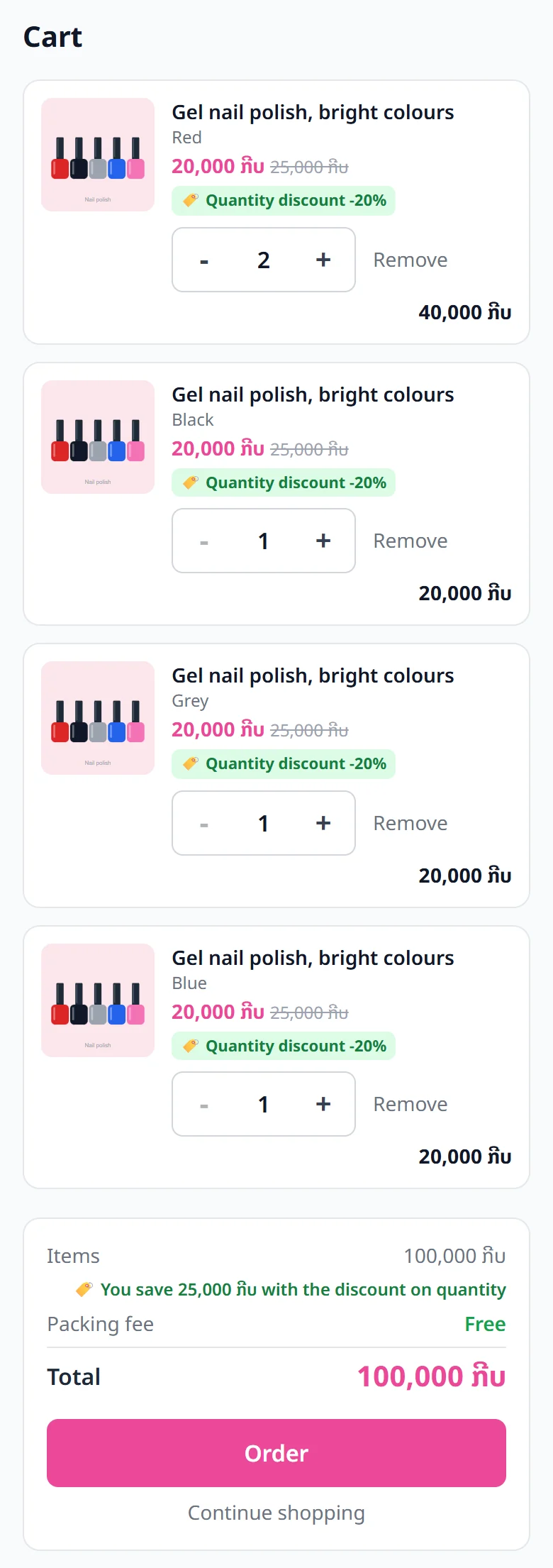
In the cart, each line shows the lowered price next to the full price, and the amount saved is written under the price of the items. If the customer removes pieces and falls under a level, the price goes back by itself and the cart says how many more pieces it takes.
In Orders, each line of the order shows the price the customer paid, with the percentage and the full price. Stock and parcel labels work as for any other order.
Related articles
Still stuck?
Message us on WhatsApp. Sending your shop name and a screenshot gets you an answer much faster.
Message LaoCartWant us to do it for you — enter your products, design your covers? That is an optional service, billed separately. See the optional services