Reading your statistics
See how much you sold, which product moves, and how many people came.
- 1Revenue — counts only orders whose payment you confirmed
- 2Order count — split by status
- 3Best sellers — what to restock
- 4Visits — how many times the shop was opened
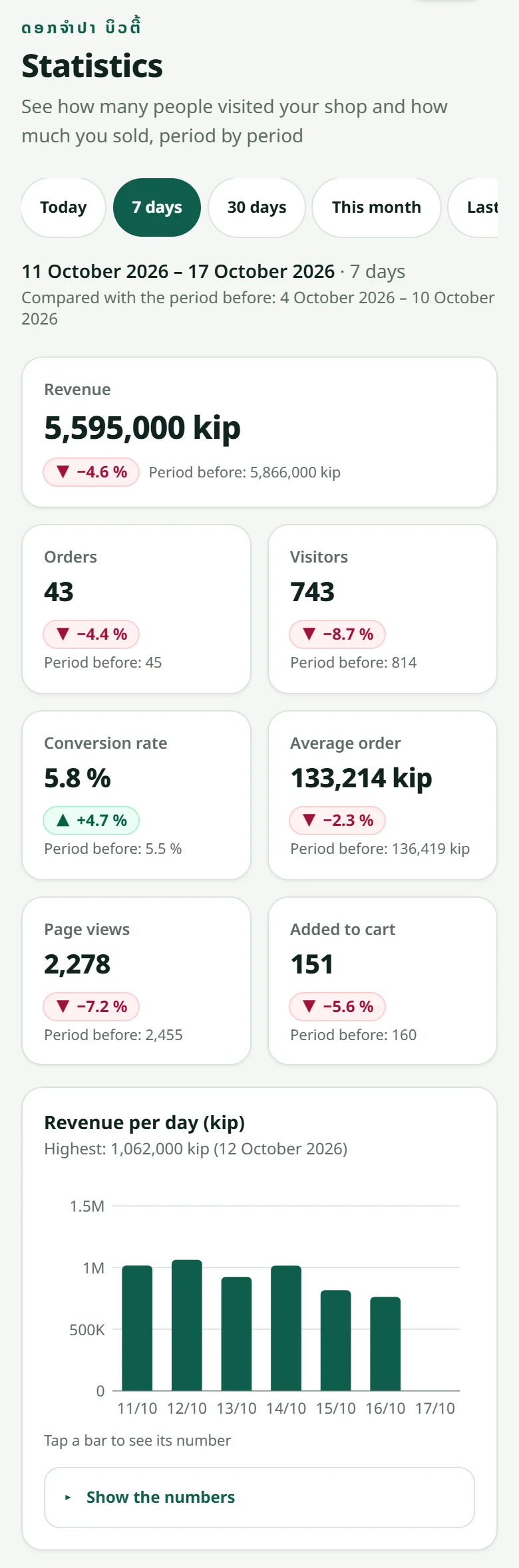
All dates are Lao time (Vientiane), so a day in the chart is your real selling day.
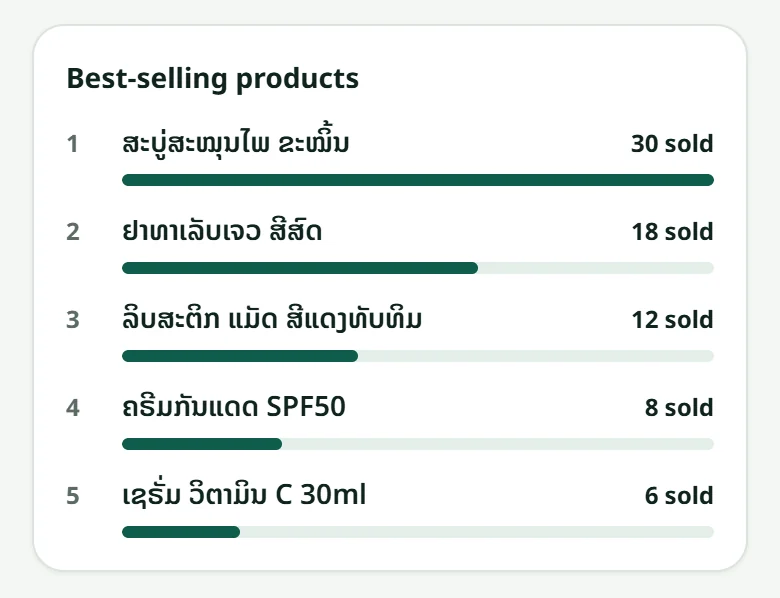
Choose the period at the top: today, 7 days, 30 days, this month, last month, or your own dates. The “Customers” page says which phone number ordered what, and the “Profit” page in “Stock” says what the products you sold cost you — see Stock, cost prices and profit.
Related articles
What the order statuses mean
From “Awaiting payment” to “Completed” — and who sees what.
Adding a product
A name, a price, a photo and a stock number — that is all it takes to sell.
When the money reaches you
Your customers' money goes straight to your bank account — LaoCart never touches it.
Stock: goods received, cost prices and profit
The “Stock” menu shows what is on the shelf and what to order again, records the goods that arrive with the supplier's invoice, and works out your profit from the sales.
Still stuck?
Message us on WhatsApp. Sending your shop name and a screenshot gets you an answer much faster.
Message LaoCartWant us to do it for you — enter your products, design your covers? That is an optional service, billed separately. See the optional services