Pre-orders: sell before the stock arrives
Take orders for a product you do not have yet — with a deposit, or nothing to pay when ordering.
A pre-order lets customers order a product that is not on your shelf yet, for example goods on their way from Thailand or China. Customers see clearly that it is a pre-order, and your stock is never touched.
- 1Open the product in Products and tick “Pre-order product”
- 2Choose the deposit paid when ordering, from “0% (nothing to pay when ordering)” to “100% (paid in full now)”
- 3If you know it, write when it arrives, for example “In about 2 weeks”: customers see it on the product
- 4Save
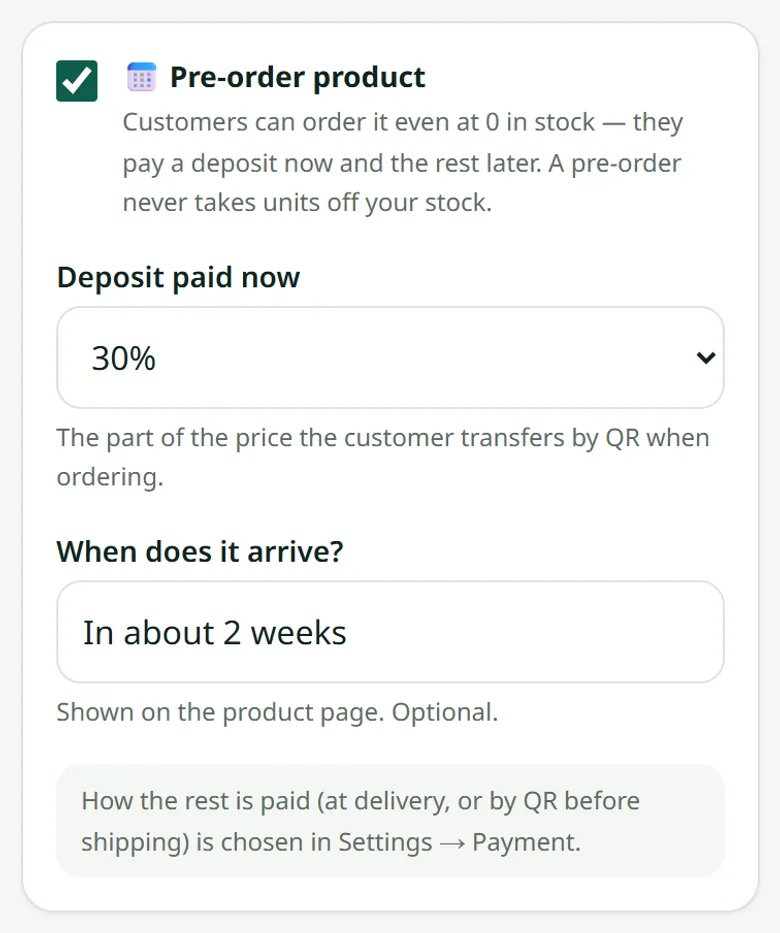
Choose once, for the whole shop, how the rest is paid: in Settings → Payment, “At delivery” (the courier collects it, like cash on delivery) or “By QR before shipping” (the customer transfers it once the product has arrived).
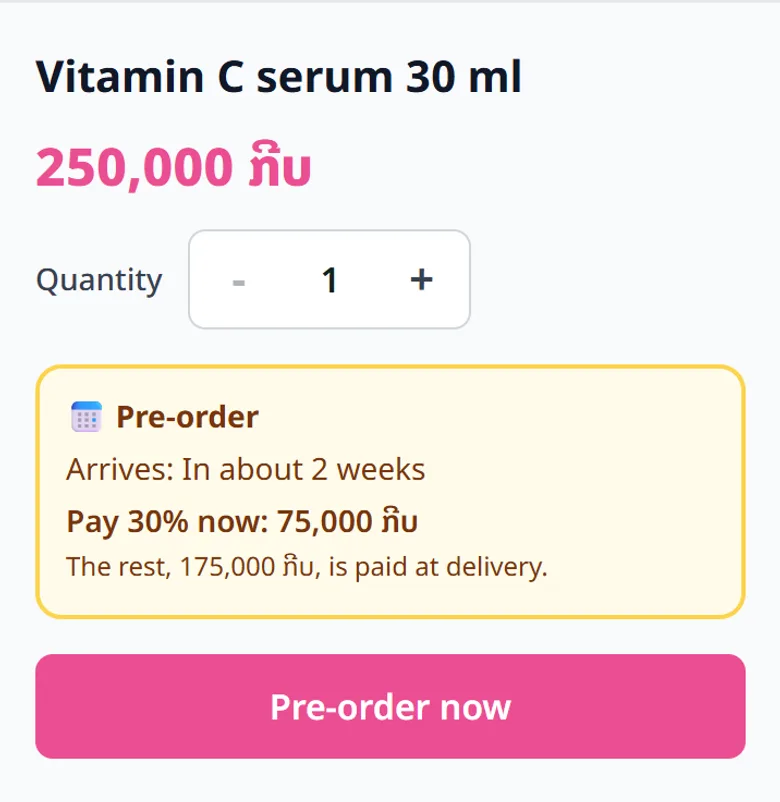
With 0%, the customer pays nothing when ordering: no QR and no slip at checkout. The whole price becomes the rest, paid the way you chose.
One cart can hold products in stock and pre-orders. The customer pays once and gets two order codes: the order in stock can leave right away, the pre-order when it arrives.
- 1Open the pre-order in Orders: its card shows the deposit and what is still to receive
- 2Press “Tell the customer it has arrived”: WhatsApp opens with the message written for you
- 3Once the rest is paid, press “Balance received”, then send the parcel
Related articles
Still stuck?
Message us on WhatsApp. Sending your shop name and a screenshot gets you an answer much faster.
Message LaoCartWant us to do it for you — enter your products, design your covers? That is an optional service, billed separately. See the optional services