I did not get the confirmation e-mail or code
Signed up, but no e-mail from LaoCart? Check the address, look in Spam, ask for it again — or sign up with Google instead.
After you sign up, the “check your e-mail” page says which address the e-mail went to and has a box for the code. The e-mail comes from LaoCart (noreply@laocart.com), with the code in its subject and a “Confirm my email” button: type the code in the box, or tap the button — both work. If you cannot see the e-mail, try these in order:
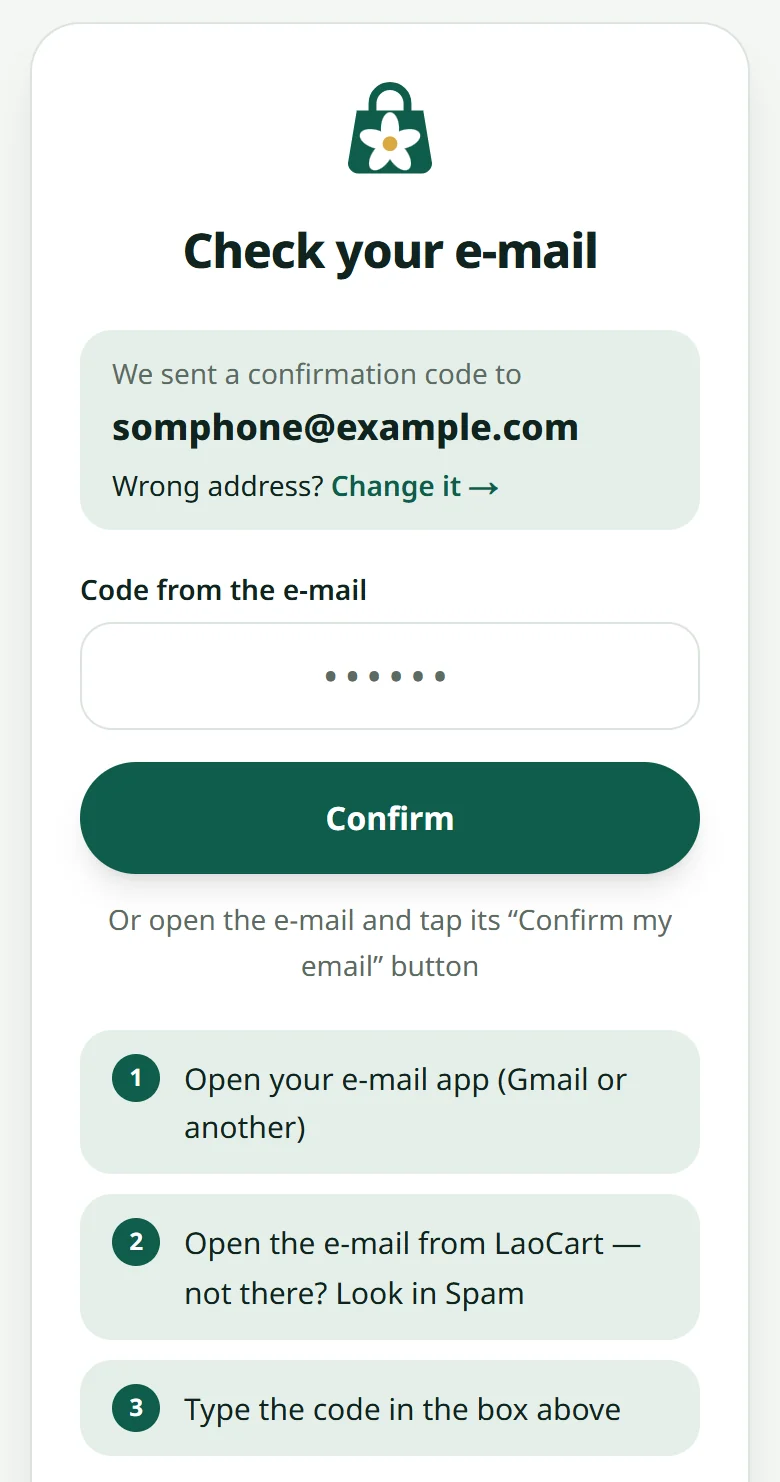
- 1Check the address written on that page: one wrong letter and nothing arrives. Wrong? Press “Change it” next to “Wrong address?” and the form comes back with what you typed
- 2Look in Spam / Junk (on a phone set to Thai: จดหมายขยะ), and in Gmail also in the “Promotions” or “Updates” tab
- 3Wait two or three minutes and pull down to refresh — some e-mails arrive late
- 4Still nothing: press the button on that page that sends the confirmation e-mail again
- 5iCloud addresses (@icloud.com, @me.com) often refuse our e-mails: sign up again with a Gmail address, or press the Google button on the sign-up page — no e-mail to wait for at all
Related articles
Create your account and your first shop
Sign up with an e-mail, then create a shop — free until you are ready to sell.
I forgot my password
Reset it by e-mail in a couple of minutes.
Report a problem or suggest an idea
Tell the LaoCart team what does not work or what you would like, and follow the answer in the same place.
Still stuck?
Message us on WhatsApp. Sending your shop name and a screenshot gets you an answer much faster.
Message LaoCartWant us to do it for you — enter your products, design your covers? That is an optional service, billed separately. See the optional services