Create your account and your first shop
Sign up with an e-mail, then create a shop — free until you are ready to sell.
Free to build, no time limit · 7 free days of real orders once your shop is ready · No card needed
Building a shop costs nothing. You add products, colours and a logo and look at the result first. You only pay for a plan when you want to open the shop to customers.
- 1Open Create an account, enter an e-mail and choose a password
- 2Open the e-mail from LaoCart and type its code on the page that is waiting — or tap the button in the e-mail
- 3Sign in and press “New shop” on My shops
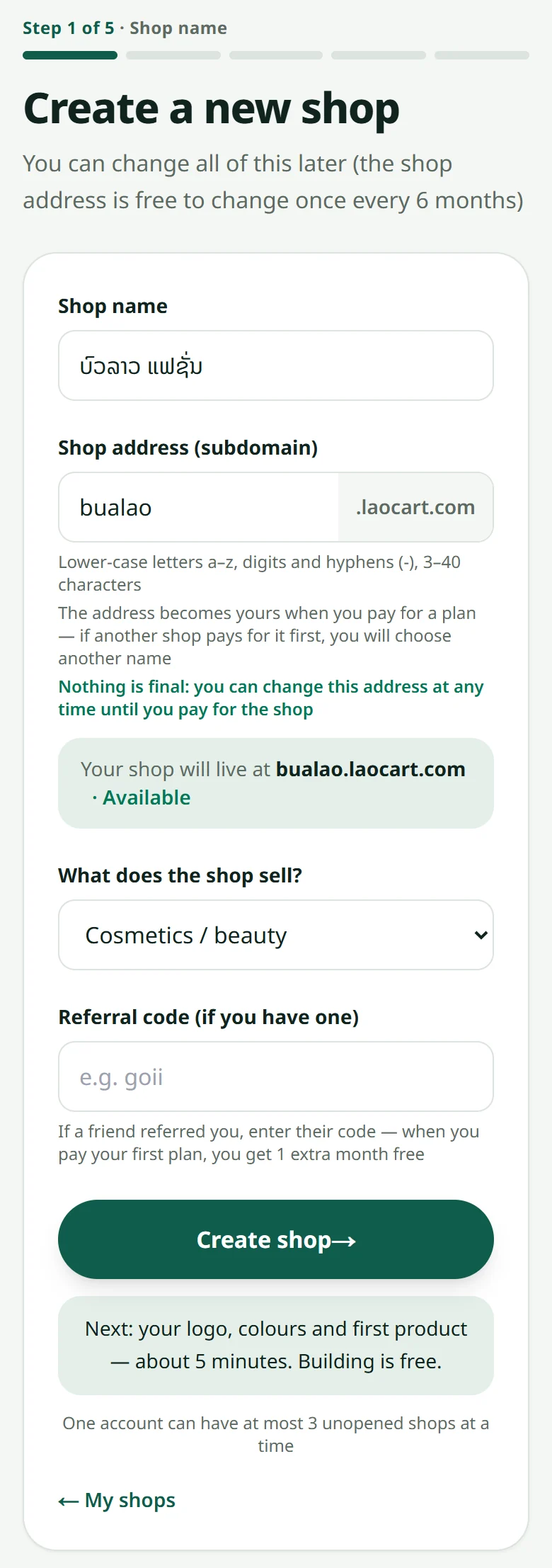
- 4Enter the shop name and choose the shop's link
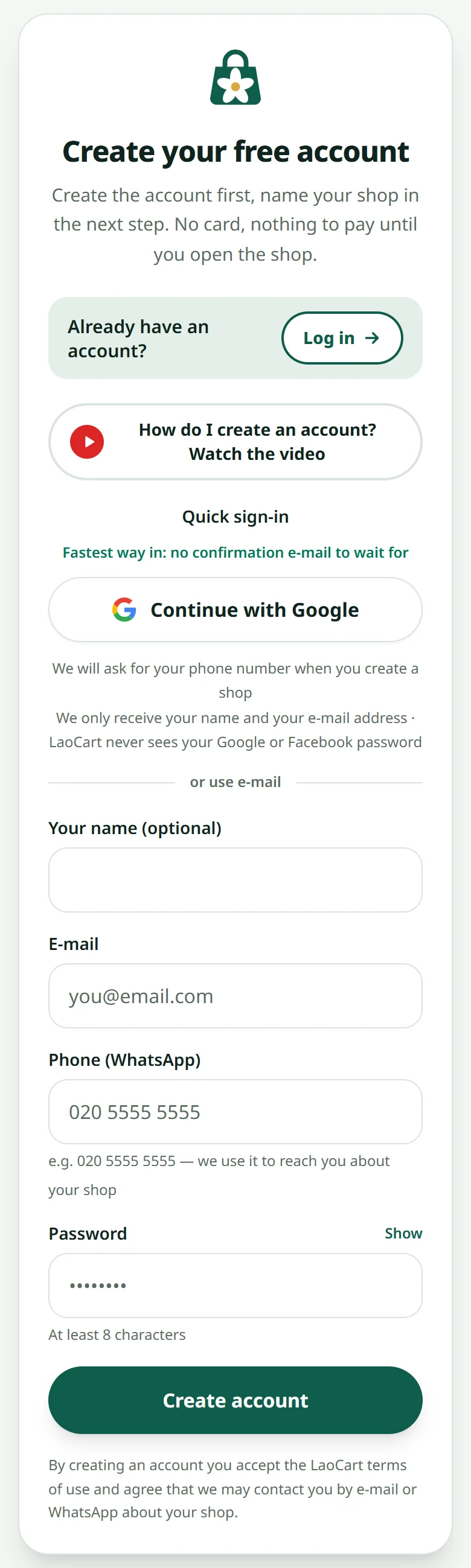
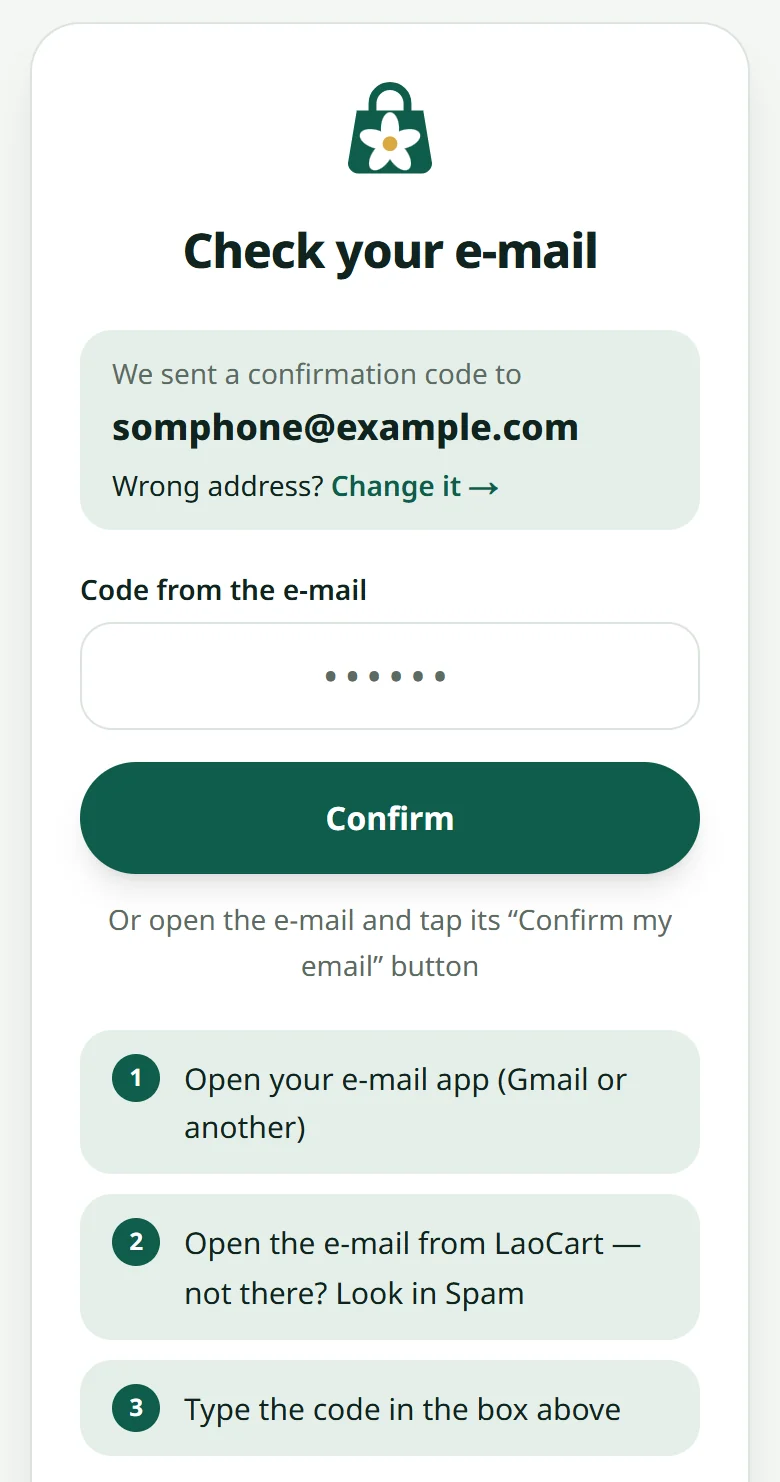
Rather not wait for an e-mail? Press the Google button on the sign-up page: no password, no code. No e-mail? See I did not get the confirmation e-mail. Once the shop exists, the setup assistant walks you through the logo, the colours, the first products and your payment QR, one step at a time — see The setup checklist.
Related articles
The setup checklist
The shop's home page walks you through everything a shop needs before it opens.
Open your shop free for 7 days, with real customers
Before you pay for a plan, the LaoCart team opens your shop to real customers for 7 free days: up to 10 orders, 3 of them confirmed paid.
What the plans include
Every plan sells the same way — they differ on products, video, domain and team size.
I did not get the confirmation e-mail or code
Signed up, but no e-mail from LaoCart? Check the address, look in Spam, ask for it again — or sign up with Google instead.
Still stuck?
Message us on WhatsApp. Sending your shop name and a screenshot gets you an answer much faster.
Message LaoCartWant us to do it for you — enter your products, design your covers? That is an optional service, billed separately. See the optional services