Show your shop to someone before it opens
Create a look-only link: the person sees your shop and products for 3 days, but cannot order and never sees your payment details.
Before you pay to open your shop, you may want a partner, a friend or a regular customer to have a look. Create a look-only link from your shop's “Overview”.
- 1Open “Overview”, the first page of your shop's dashboard.
- 2In “Show your shop to someone”, press “Create a link (3 days)”.
- 3Press “Copy the link” or “Send on WhatsApp”, and send it only to people you trust.
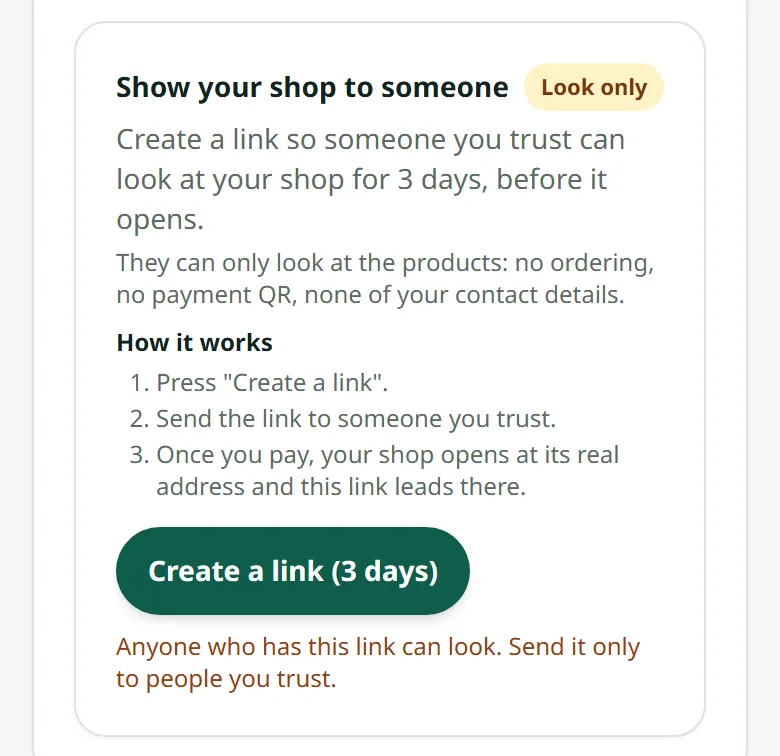
Whoever opens the link sees your shop's home page and products, with a yellow bar saying it is for looking only. They cannot order, and they never see your payment QR, bank account, WhatsApp, phone number or address.
Only the shop's owner can create the link, and only while the shop is not open. To look at your shop yourself, press “Preview shop”. Ready to open? See How to pay for your plan.
Related articles
Create your account and your first shop
Sign up with an e-mail, then create a shop — free until you are ready to sell.
The setup checklist
The shop's home page walks you through everything a shop needs before it opens.
How to pay for your plan
Transfer the amount on the invoice, upload the slip, and we open the shop.
Still stuck?
Message us on WhatsApp. Sending your shop name and a screenshot gets you an answer much faster.
Message LaoCartWant us to do it for you — enter your products, design your covers? That is an optional service, billed separately. See the optional services