How to pay for your plan
Transfer the amount on the invoice, upload the slip, and we open the shop.
- 1Open the “Billing” menu in your shop and choose a plan
- 2An invoice appears with the transfer details and a QR
- 3Transfer exactly the amount on the invoice
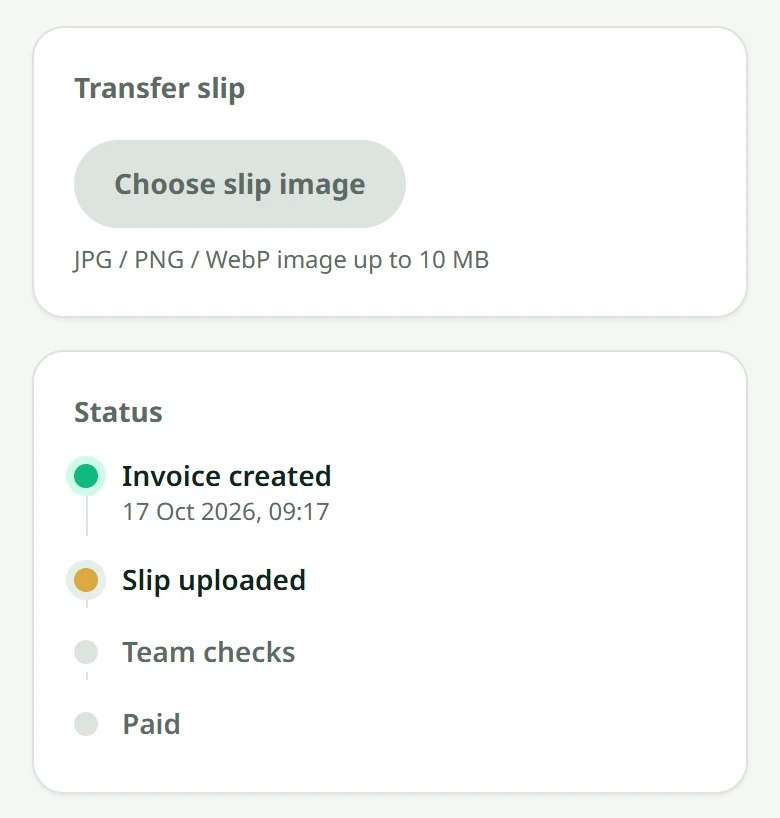
- 4Upload a photo of the slip onto that invoice
- 5We check it and open your shop — usually within a day
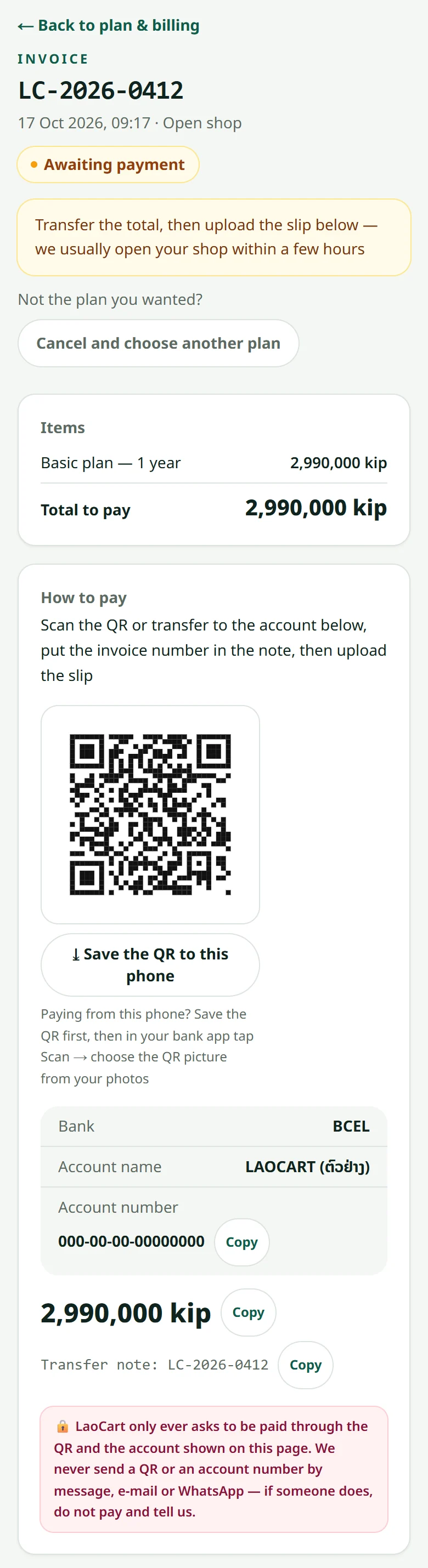
An invoice you have not paid yet is shown first on that page and on your shop's home. Chose the wrong plan? As long as you have not sent a slip, press “Cancel and choose another plan” and choose again.
Paying from the same phone? Under the QR, press “Save the QR to this phone”, then in your bank app tap Scan and choose the QR picture from your photos. The account number, the amount and the transfer note each have a copy button. Once the shop is open, the invoice page offers a receipt to print or keep.
Related articles
What the plans include
Every plan sells the same way — they differ on products, video, domain and team size.
Renewal and the grace period
We warn you in advance, and the shop does not shut the moment the date passes.
What happens when a shop closes
It disappears for customers, but your data is kept for a while.
Still stuck?
Message us on WhatsApp. Sending your shop name and a screenshot gets you an answer much faster.
Message LaoCartWant us to do it for you — enter your products, design your covers? That is an optional service, billed separately. See the optional services