Your shop's “how to order” video
A short Lao video LaoCart makes for your shop, showing customers how to order on your website — download it to post, and show it on the shop.
Many customers ask “how do I order?”. The LaoCart team makes a 1-minute video for open shops, one by one — with your own logo, products and couriers, and a Lao voice-over. When yours is ready, a notice in “Inbox” opens its page.
- 1Press “Download the video” (an MP4 file) — if the download does not start, open the page in Chrome or Safari
- 2Post it on TikTok and Facebook and pin it to the top of your page, with your shop's link in the caption and in your bio
- 3A customer asks how to order? Press “Copy the link” and send it: that page holds the video and the 6 steps, with your shop's real button names
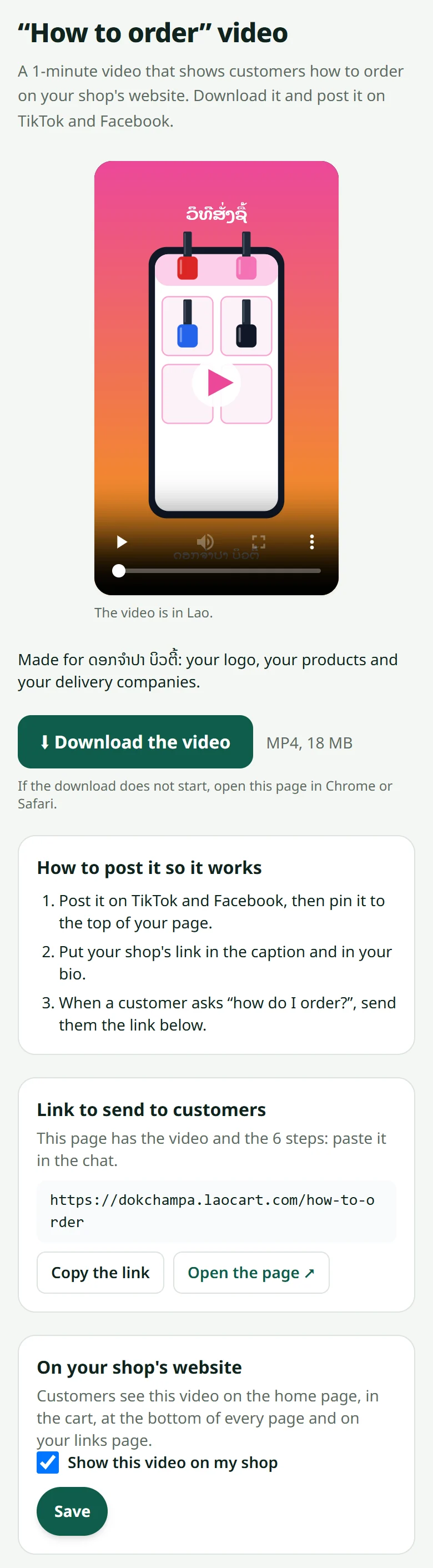
On your website, customers see the video on the home page (next to the products heading), in the cart above the order button, at the bottom of every page and on your link page. Rather not? Switch off “Show this video on my shop” on the same page.
Want to explain with pictures too? See What the buyer sees and Pictures ready to post.
Related articles
What the buyer sees
Knowing their side of the screen makes answering a customer much faster.
Pictures ready to post on Facebook, TikTok and WhatsApp
Turn a product into a Lao picture and text, ready to post, in one tap.
Your shop's notifications
New orders, payments and news from LaoCart in one list, unread ones first.
Still stuck?
Message us on WhatsApp. Sending your shop name and a screenshot gets you an answer much faster.
Message LaoCartWant us to do it for you — enter your products, design your covers? That is an optional service, billed separately. See the optional services