A new look proposed by LaoCart for your shop
Sometimes the team prepares a new look for a shop: banner, colours and the words of the four boxes. You compare before and after, apply only the parts you like, and can go back in one tap.
The LaoCart team looks at open shops and sometimes prepares a new look: a new banner made from the shop's name, your own words and your product photos (nothing invented), a palette that matches your logo or your goods, new words for the four boxes under the banner, and boxes in your shop's colour instead of soft pink. The proposal comes with a notice in “Inbox” that opens the “A new look for your shop” page.
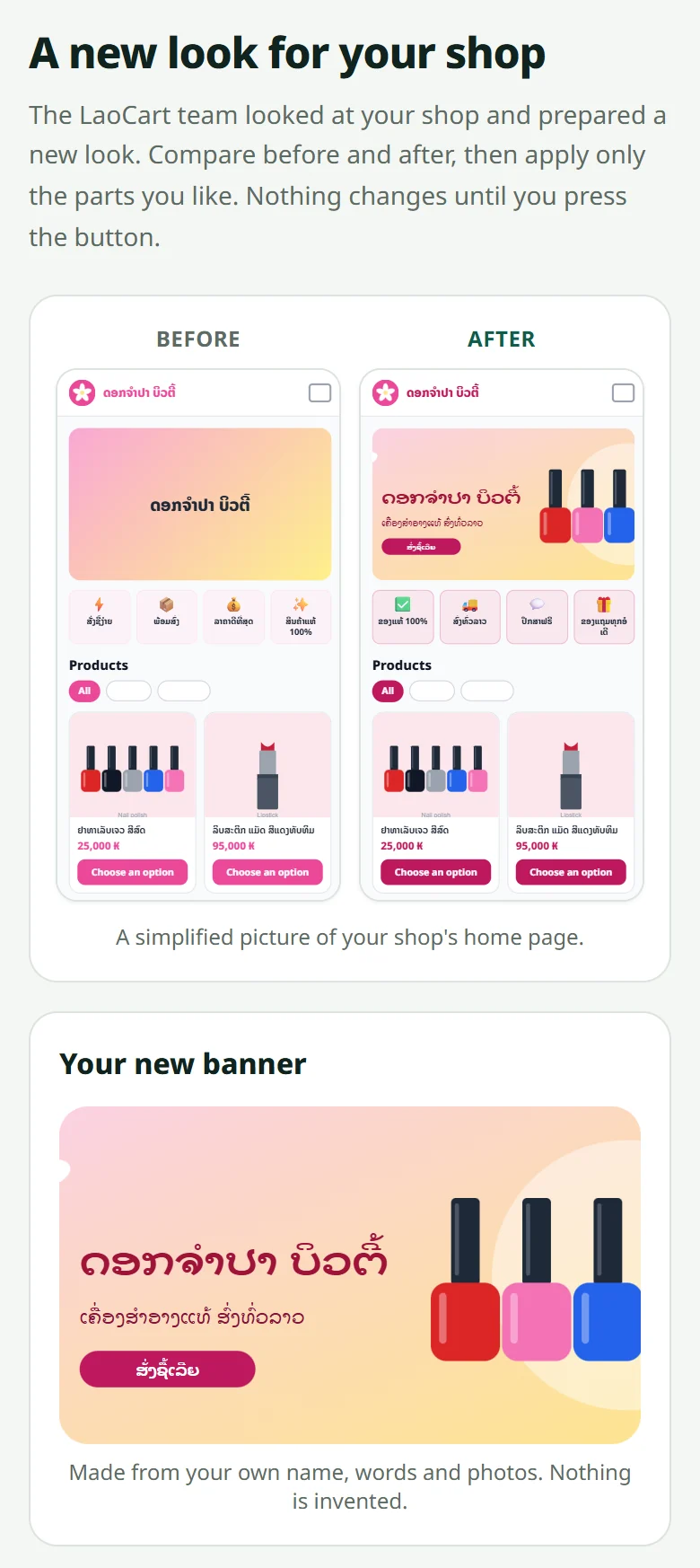
- 1Look at the “Before” and “After” pictures of the home page, and the new banner shown large — each part says why it is proposed
- 2Tick only the parts you want (banner, colours, the boxes' words, the boxes' colour) and press “Apply the new look” — customers see it within a minute
- 3Not for you? Press “No thanks” — the shop stays as it is, and you can look at the proposal again later
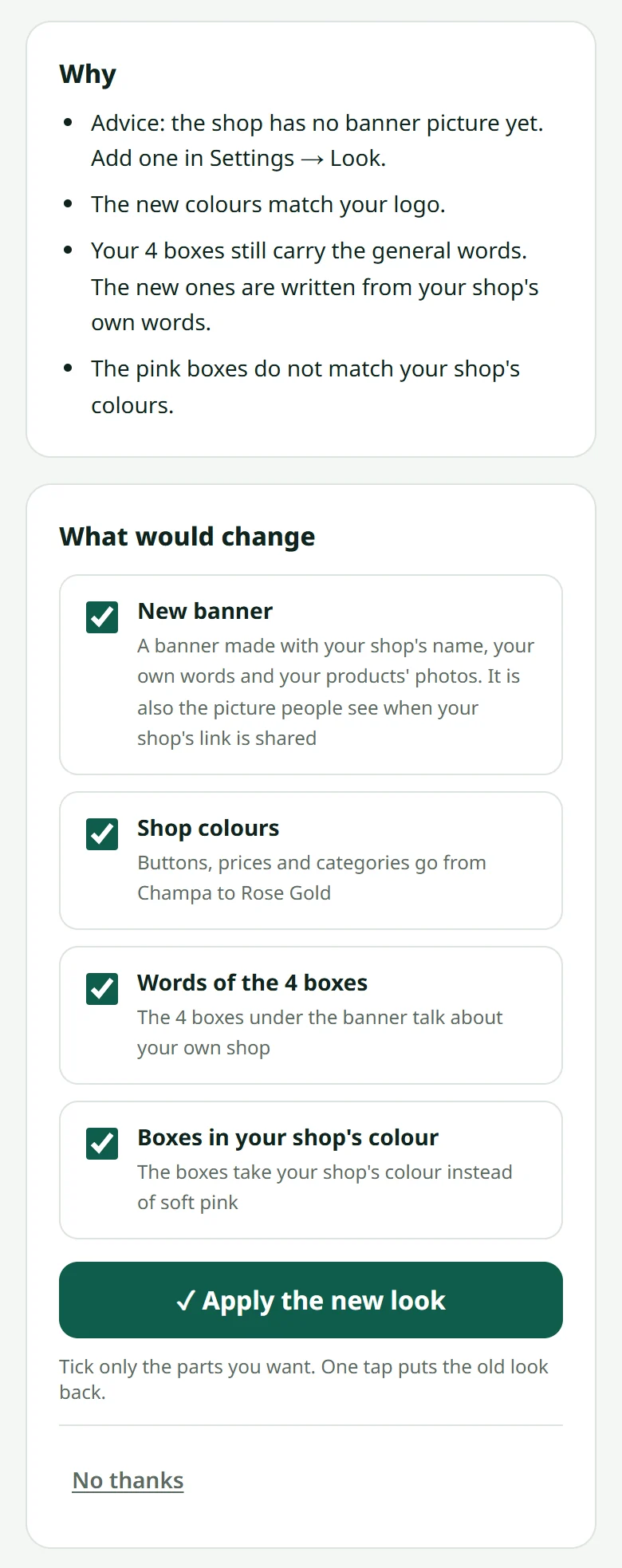
Changed your mind? “Put my old look back” brings the old look back in one tap — only for the parts that still are the proposal's: colours, pictures or words you changed yourself since then are left alone.
Related articles
Still stuck?
Message us on WhatsApp. Sending your shop name and a screenshot gets you an answer much faster.
Message LaoCartWant us to do it for you — enter your products, design your covers? That is an optional service, billed separately. See the optional services